The Ultimate Guide to LTX 2.3 ComfyUI Workflow (And The Fastest Online Alternative)
Struggling to set up LTX 2.3 in ComfyUI? Discover the exact hardware requirements, GGUF setups, and the best online alternative that requires zero VRAM and zero installation.
The Ultimate Guide to LTX 2.3 ComfyUI Workflow (And The Fastest Online Alternative)
The arrival of LTX 2.3 has completely disrupted the AI video generation landscape. Moving lightyears beyond the stuttering, lower-resolution experiments of earlier AI models, LTX 2.3 brings cinematic consistency, incredible motion dynamics, and photorealistic fidelity to generating video from text and images. Because of its tremendous capability, developers and AI enthusiasts across the globe are rushing to integrate it into their creative pipelines.
However, harnessing the raw power of LTX 2.3 natively comes with a steep learning curve and significant hardware demands. The vast majority of technical users gravitate towards ComfyUI—a powerful, node-based graphical user interface for stable diffusion and generative models. If you have been searching for the definitive "LTX 2.3 ComfyUI workflow," you are not alone. It is currently one of the most trending topics in the AI developer community.
But is setting up a local ComfyUI workflow the right path for you? In this comprehensive guide, we will unpack everything you need to know about the LTX 2.3 architecture, what it takes to run it locally (including dealing with GGUF files and VRAM limitations), the step-by-step logic of a ComfyUI setup, and finally, we will reveal the fastest, most efficient cloud alternative that requires absolutely zero installation or hardware investment.
Why Everyone is Talking About LTX 2.3
Before diving into the nodes and hardware requirements, it is essential to understand why LTX 2.3 is commanding so much attention. Video generation is inherently more complex than image generation. It requires the model to not only understand the spatial consistency of a single frame but also the temporal consistency across hundreds of frames.
LTX 2.3 utilizes an advanced diffusion architecture optimized for video. It excels at:
- Temporal Stability: Objects do not morph or melt unexpectedly across frames.
- High-Fidelity Resolution: Outputting natively at high resolutions suitable for professional editing.
- Complex Motion Comprehension: Understanding prompts that require complex camera movements, like "cinematic pan over a bustling cyberpunk city."
To achieve this level of performance, the model parameters are massive. And with massive parameters comes the need for massive computational power.
The Hardware Reality: What Does it Take to Run LTX 2.3 Locally?
If you want to run the official, uncompressed LTX 2.3 checkpoints locally via ComfyUI, you need to be prepared for the hardware reality. This is not a model you can run smoothly on a standard gaming laptop from five years ago.
The VRAM Bottleneck
Video diffusion models are extraordinarily demanding on VRAM (Video RAM). While generating a single image might only require 8GB to 12GB of VRAM, generating high-resolution video sequences with LTX 2.3 ideally requires an NVIDIA GPU with at least 24GB of VRAM (such as the RTX 3090, RTX 4090, or professional series cards like the RTX A6000).
When you load the base model, the text encoder, and the VAE, your VRAM is quickly consumed before generation even begins. If your local machine lacks sufficient memory, you will immediately encounter the dreaded CUDA Out of Memory (OOM) error.
The "GGUF" Compromise
Because powerful GPUs are notoriously expensive, the community has turned to model quantization. This explains the rising search trend for ltx 2.3 gguf. GGUF is a file format optimized for running models with lower precision (e.g., 8-bit or 4-bit) to save Memory.
By converting the LTX 2.3 models into GGUF format, users with 12GB or 16GB VRAM cards attempt to run the workflow. However, quantization is always a compromise. Running a highly compressed GGUF model often leads to:
- A noticeable degradation in fine details and textural quality.
- Slower generation times depending on the specific CPU/GPU offloading mechanics.
- A much higher complexity in setting up the ComfyUI workflow, as you now need specific custom nodes to load and decode GGUF formats properly.
Dissecting the LTX 2.3 ComfyUI Workflow
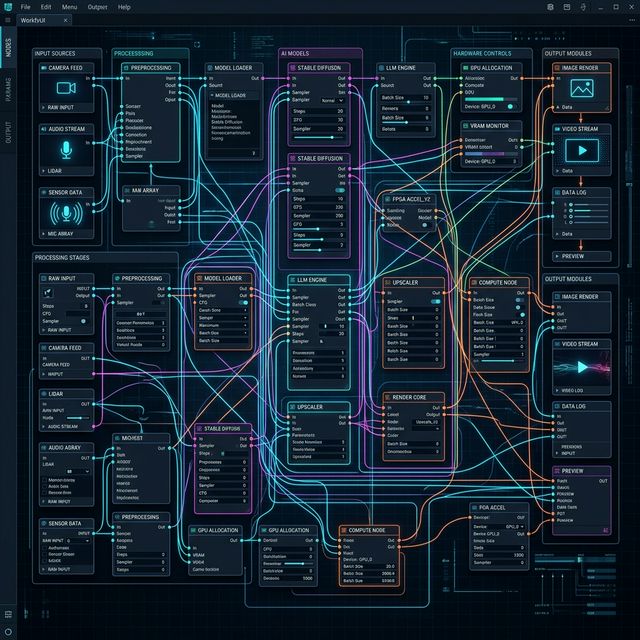
For the hardcore enthusiasts with the necessary hardware, building the ComfyUI workflow is a rewarding challenge. ComfyUI translates the python code of diffusion models into a visual, node-based flowchart.
Here is a breakdown of what a standard LTX 2.3 workflow typically entails:
1. The Model Loading Phase
Unlike simple image models where you load a single .safetensors file, video pipelines often require multiple components. You need a dedicated node to load the main LTX 2.3 model. If you are using GGUF formats to save VRAM, you must install custom nodes like ComfyUI-GGUF and route the execution precisely.
2. Text Encoding (Conditioning)
LTX 2.3 requires highly detailed prompting. You will need advanced text encoder nodes (often loading massive transformer models like T5) to parse your complex video prompts. This requires yet another chunk of your precious RAM and VRAM.
3. The Video Sampler Node
This is the heart of the engine. Here, you define the core parameters:
- Steps: Usually between 20 to 50 for video. More steps equal longer render times.
- CFG Scale: Controlling how strictly the model adheres to your prompt.
- Frames: Determining the length of the video. Generating 48 or 72 frames requires exponentially more compute than a 16-frame test.
4. VAE Decoding & Video Combine
Once the sampler finishes processing the latent noise into video latents, the VAE (Variational Auto-Encoder) decodes those latents into visible pixel space. Finally, a Video Combine node stitches these individual frames into an MP4 or GIF, utilizing local tools like FFmpeg.
The Reality of the Setup: Building this from scratch requires installing ComfyUI, hunting down the correct model files, installing a dozen custom node plugins via the ComfyUI Manager, resolving dependency conflicts, and enduring excruciatingly long generation times while your fans spin at maximum velocity.
The Hidden Costs of Local Deployment
Setting up ltx 2.3 comfyui might seem like a free alternative to paid software, but the hidden costs accumulate rapidly:
- Upfront Hardware Costs: Purchasing an RTX 4090 can easily cost over $1,500 USD, not including the requisite high-end power supply and cooling solutions.
- Time Sink: You will spend hours updating nodes, fixing broken python environments, downloading massive checkpoint files, and debugging
OOMerrors. - Productivity Loss: Every time you want to render a 5-second clip, your entire machine is paralyzed. You cannot work, game, or multitask while your GPU is pegged at 100% capacity rendering video.
For hobbyists, this tinkering is part of the fun. But for creative professionals, marketers, and developers who simply want to generate high-quality video assets quickly, the local ComfyUI route is an incredible bottleneck.
The Ultimate Cloud Alternative: ltx23ai.com
What if you could harness the full, uncompromised power of the highest precision LTX 2.3 model without touching a single GPU, without downloading any GGUF files, and without wiring a single node?

Welcome to the future of AI video generation. At ltx23ai.com, we have abstracted away all the infrastructure nightmares so you can focus entirely on your creative output.
Why ltx23ai.com Beats Local Deployment
- Zero Hardware Required: You can run our platform on a five-year-old MacBook, a Chromebook, or even your smartphone. All the heavy lifting is handled by our enterprise-grade cloud GPU clusters (featuring arrays of dedicated A100s and H100s).
- Uncompromised Quality: We do not rely on heavily compressed GGUF models to save space. When you generate a video on our platform, you are utilizing the highest-fidelity LTX 2.3 weights available, ensuring maximum photorealism and temporal stability.
- Instant Access: Forget spending your weekend troubleshooting Python dependencies. Open your browser, type in your prompt, adjust intuitive sliders for motion and style, and click generate. It is that simple.
- Infinite Scalability: Need to generate five different video concepts simultaneously? Our cloud architecture allows you to run concurrent generations, something that would literally melt a single desktop GPU.
- No Node Spaghetti: While node-based UI is great for extreme tinkering, 99% of professional workflows just need reliable results. We provide a beautifully designed, intuitive neo-brutalist interface that gives you precise control over your output without the visual clutter.
The Verdict
The surge in searches for ltx 2.3 comfyui and ltx 2.3 gguf highlights a clear market desire: people want access to this incredible technology. However, the path of local deployment is fraught with expensive hardware barriers, technical frustration, and significant time sinks.
If your ultimate goal is to create amazing videos rather than manage server hardware and debug software nodes, making the switch to a dedicated cloud platform is the logical choice.
Stop wrestling with your GPU. Start creating directly in the cloud. Experience the unbridled power of LTX 2.3 today at ltx23ai.com and revolutionize your video generation workflow in seconds.
Author
Newsletter
Join the community
Subscribe to our newsletter for the latest news and updates